Claude connector
Use BrowsingBee with Claude.
One link adds BrowsingBee as a connector on claude.ai. After that, Claude on the web, on your desktop and on your phone can open pages, search and read PDFs for you.
Takes about a minute. Free account, Google sign-in, no card.
Install in four steps
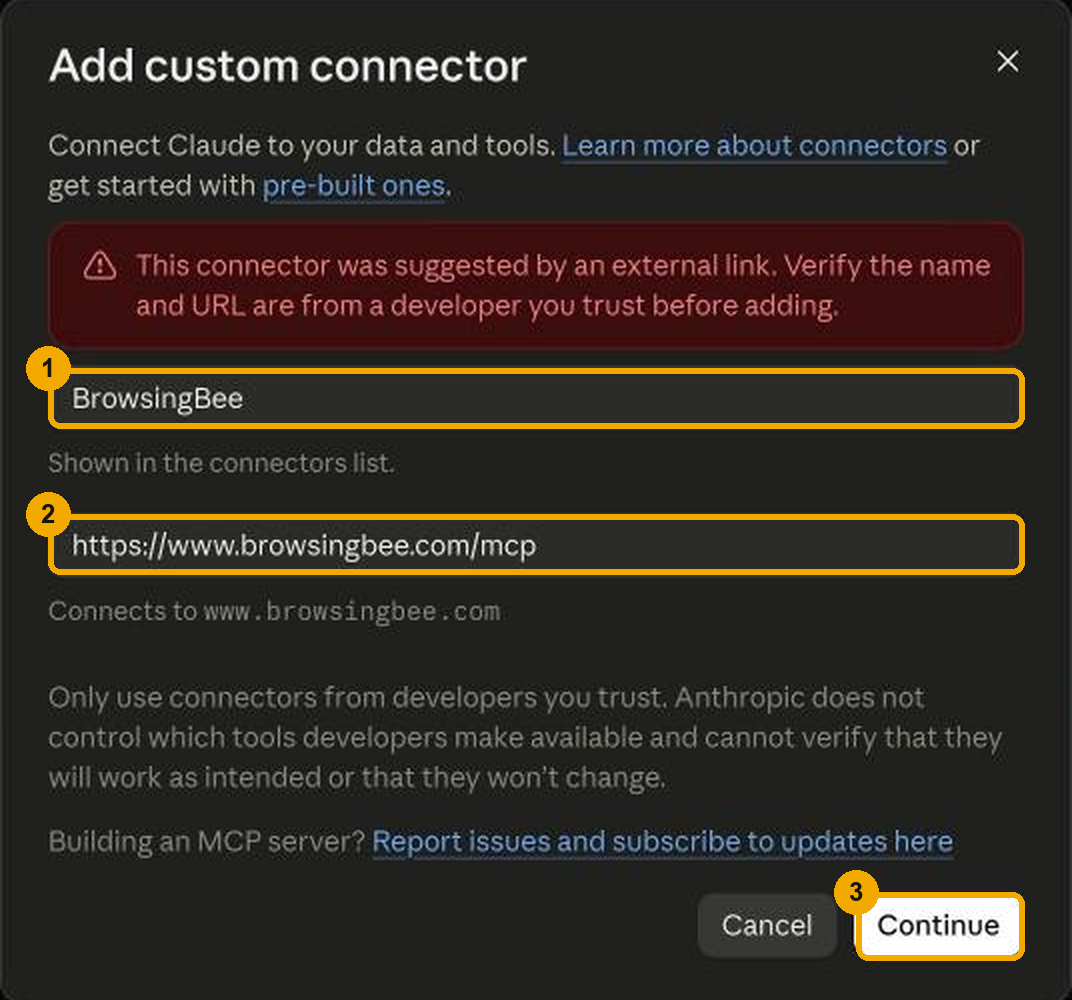
Open the install link
It opens claude.ai with the Add custom connector dialog already filled in: name BrowsingBee, URL
https://www.browsingbee.com/mcp. Claude shows a notice that the link came from outside; that is expected. Press Continue.If the dialog does not open, go to claude.ai → Customize → Connectors → Add custom connector and paste the URL yourself.
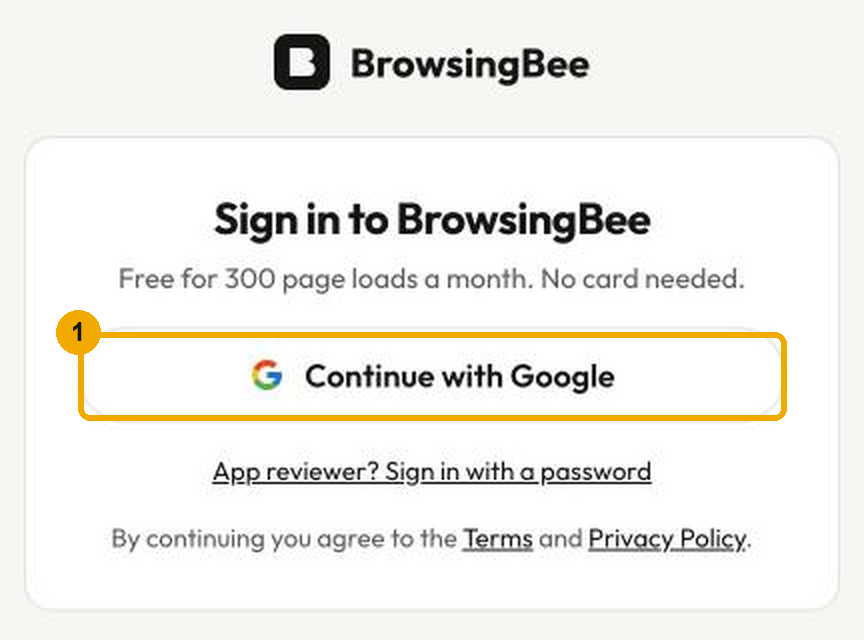
Press Connect, then sign in with Google
Claude sends you to browsingbee.com. Sign in with any Google account. This creates your free BrowsingBee account.
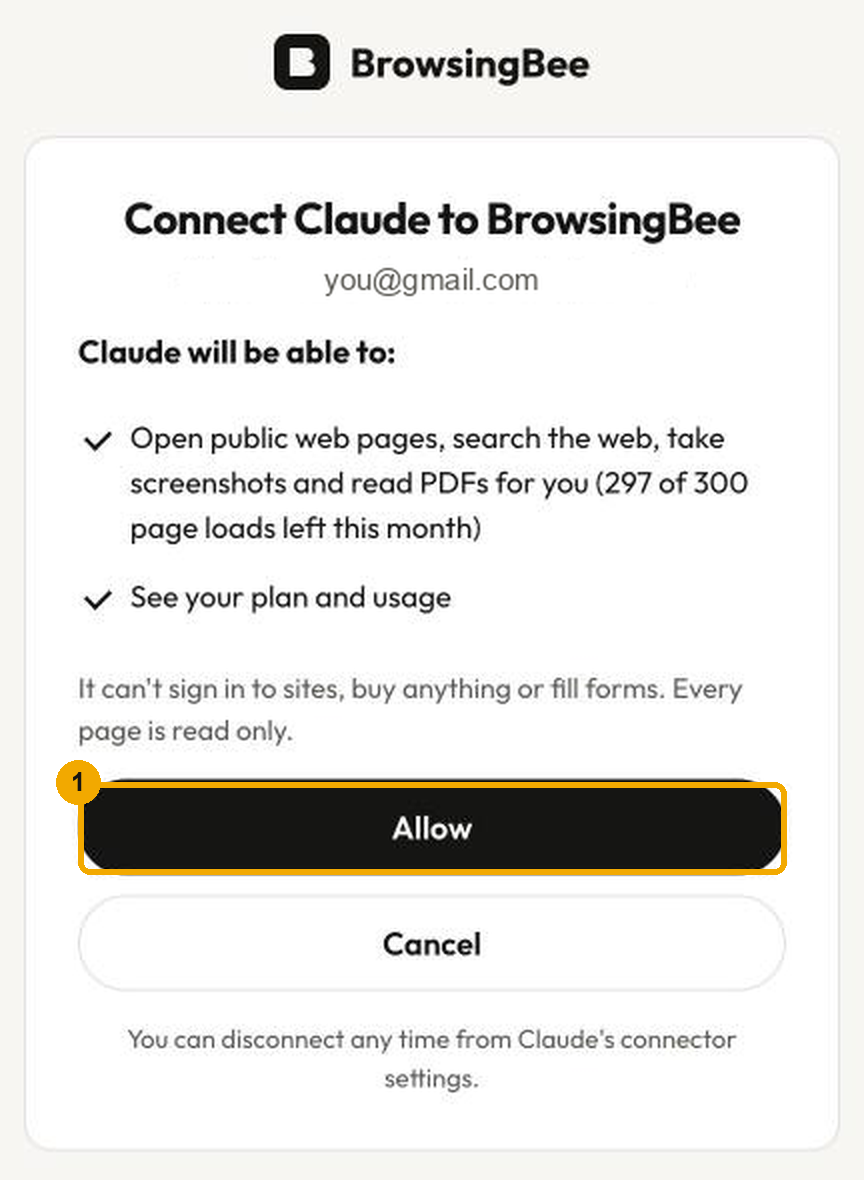
Press Allow
The consent page lists exactly what Claude gets: read-only browsing on your page-load quota, and your usage numbers. Press Allow and you are back in Claude with “7 tools” next to BrowsingBee.
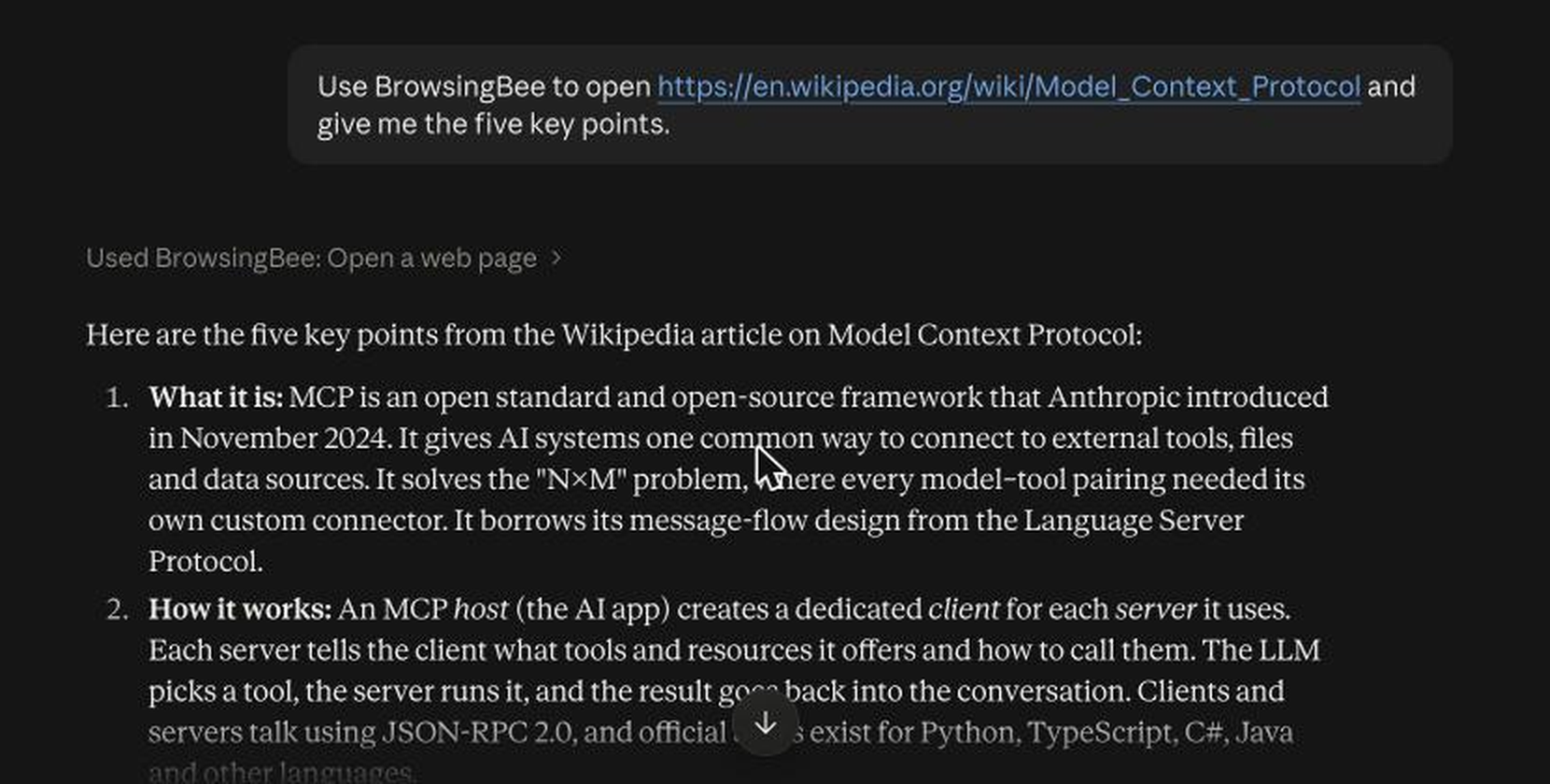
Ask Claude to open a page
Open https://en.wikipedia.org/wiki/Model_Context_Protocol and summarise it in five pointsClaude calls open_page, reads the clean text, and answers. Try “search for … and open the best result”, “screenshot this page at phone width”, or paste a PDF link.
On your phone
Connectors are per account, not per device. Once BrowsingBee is connected on claude.ai, open the Claude app on iOS or Android, start a chat, tap the tools button and make sure BrowsingBee is on. Then ask the same way.
If you have never used claude.ai in a browser: open the install link above in Safari or Chrome on the phone, sign in to Claude, and finish the same four steps there.
What it looks like
Questions
Does it work on my phone?
Yes. Connect once on claude.ai in any browser, then the Claude iOS or Android app can use BrowsingBee in every chat. The browser runs on our servers.
Can it log in to a site for me?
No. Version 1 is read only: it opens public pages, searches, screenshots and reads PDFs. It never types into a page or submits a form.
Why does a page say it is blocked?
Some sites block automated browsers or need a login, a CAPTCHA or a paywall. BrowsingBee tells Claude when that happens instead of guessing.
What counts as a page load?
Every open_page, screenshot_page, extract_data, get_links, read_pdf and search_web call is one page load. usage is free. Free accounts get 300 a month.
What do you store?
Your Google email and name, how many pages you loaded, the host name of each page (not the full address) and screenshots for 24 hours. Page text is never stored.
Is my Claude data shared with BrowsingBee?
Only the tool call: the address you ask to open and the options. Your other messages stay in Claude.
Stuck? Write to hey@browsingbee.com or see the support page.